Mods must be installed to join the server. To ensure compatibility and avoid any issues when connecting to the server, I recommend following these steps as they will help streamline the process of installing mods.
- Download & Open “Fabric Launcher” (Click here to download)
- Make sure the following versions and settings are selected within fabric launcher:
- Minecraft Version:
v1.20.4 - Loader Version:
v0.15.10 - Make sure
Create Profileis checked - Install and exit when finished
- Minecraft Version:
- Make sure the following versions and settings are selected within fabric launcher:
- Download “AutoModPack” (Click here to download)
- Open Run Dialog with
Windows Key + R, paste%appdata%/.minecraft/modsinto it, and pressOK - Move AutoModPack mod into the folder
- Open Run Dialog with
- Open the Minecraft Launcher and make sure to run it with the the newly added
fabric-loader-1.20.4profile. - Connect to the server. When you join, you’ll be prompted with a message asking you to download mods and to restart your game, select
Downloadand rejoin the server.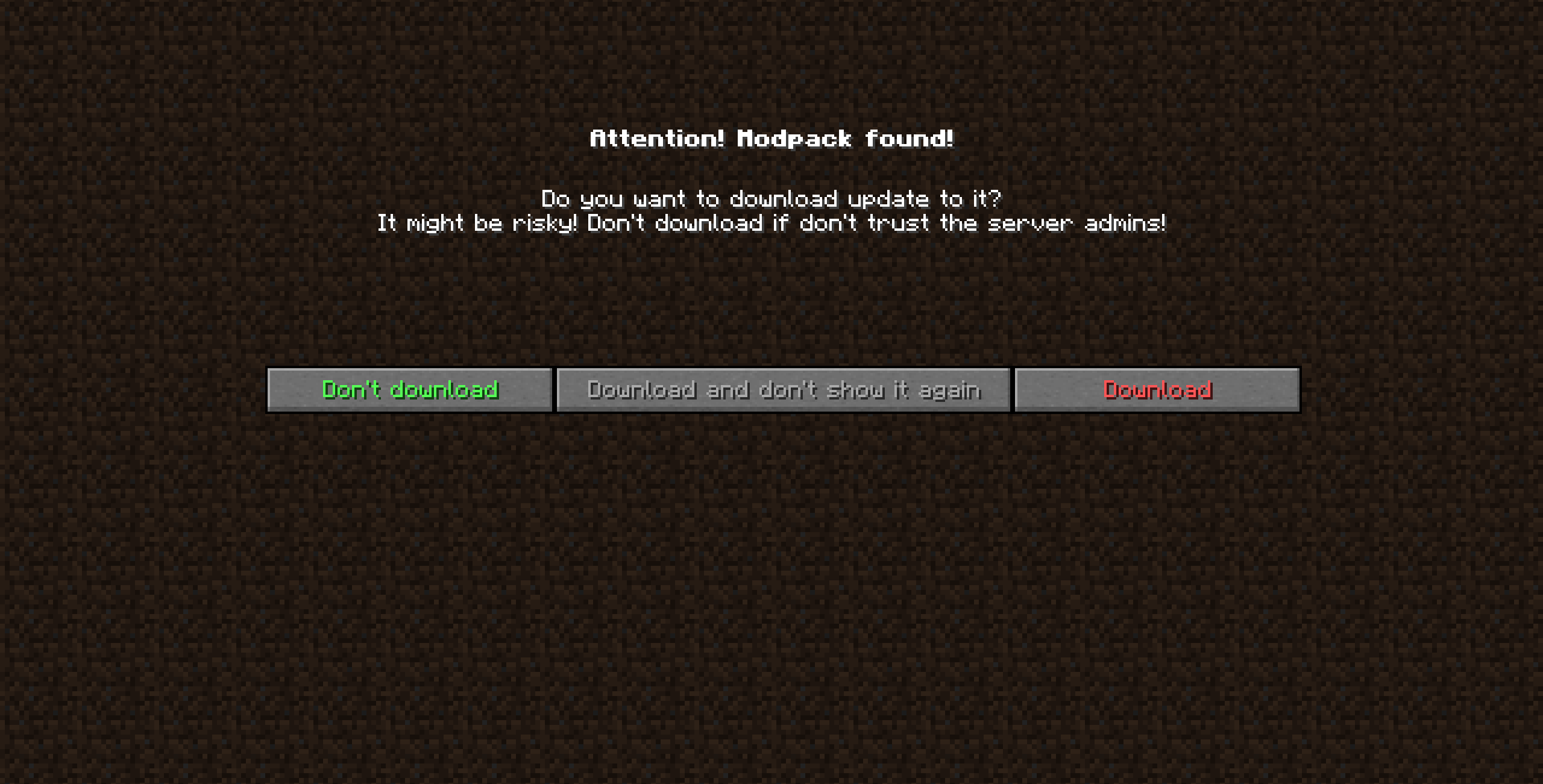
- You’re done! You should be able to join the server. 🙂

Leave a Reply